
🚀 The Quick Summary
I tested a Sydney server on Cloudways against major Australian hosts. The result: faster load times, dedicated resources, and lower monthly cost.
Start 3-Day Free Trial »Introduction
If you’re here, you likely just saw a renewal bill from VentraIP or Crazy Domains and wondered why hosting in Australia costs so much.
I did too.
That frustration is exactly what led me to put together this Cloudways Australia review.
Here’s what most people don’t realize:
You don’t need to buy hosting from an Australian company to get a Sydney server.
I tested Cloudways using Vultr High Frequency — Sydney to answer one simple question:
Is this actually faster than the local giants?
The Speed Test Showdown: Cloudways (Sydney) vs The Locals
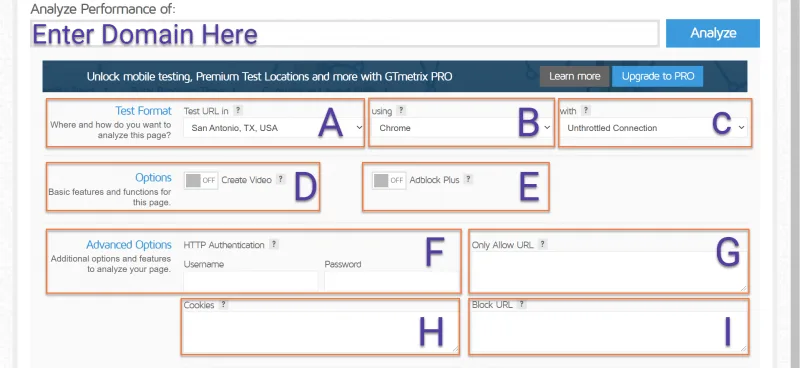
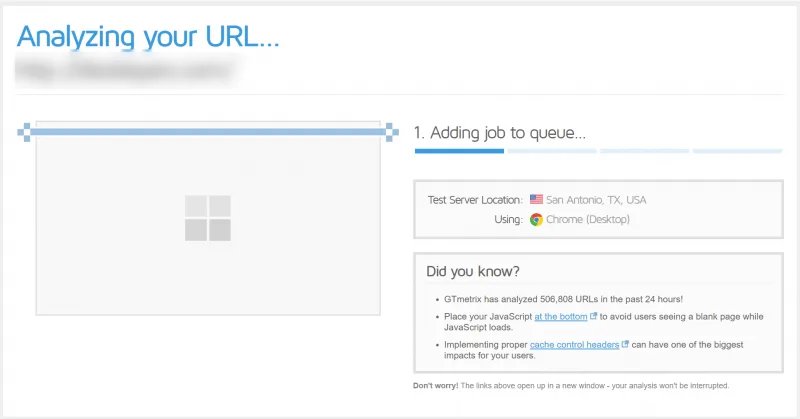
| Feature | Cloudways (Vultr HF) | VentraIP | Crazy Domains |
|---|---|---|---|
| Server | Sydney Dedicated | Sydney Shared | Sydney Shared |
| CPU | 3GHz+ High Freq | Standard | Standard |
| Resources | Dedicated | Shared | Shared |
| Caching | Varnish + Redis | Basic | Basic |
| TTFB | <60ms | 200–600ms | 400–900ms |
| GST | None added | +10% | +10% |
Why the Local Hosts Lose Here
- The “Shared” Trap: When you buy a “Business Plan” from VentraIP or Crazy Domains, you are still on a shared server. You are fighting for resources. Cloudways gives you a dedicated VPS (Virtual Private Server). Your resources are yours alone.
- The Varnish Factor: Cloudways runs a server-side caching layer called Varnish. This serves your pages to visitors instantly before WordPress even has to “think.” Most shared hosts disable this because it’s too hard for them to manage for thousands of users.
- NVMe Storage: The “High Frequency” in Vultr HF refers to NVMe storage, which reads data 3-4x faster than the standard SSDs used by many budget hosts.
How to Move to Cloudways (Without Breaking Anything)
The biggest myth about Cloudways is that you need to be a “server genius” to use it.
When I moved my first site, I was terrified of downtime. I pictured my site going offline for 48 hours while I messed around with FTP files.
The Reality: You don’t touch any code. Cloudways has built a dedicated plugin called the Cloudways WordPress Migrator. It does 99% of the work for you.
Here is the 3-step process to move your Aussie site with Zero Downtime:
Step 1: Launch Your Server Sign up for Cloudways and select the Vultr (High Frequency) server in Sydney. (This takes about 7 minutes to spin up).
Step 2: Install the Plugin on Your OLD Site Log into your current WordPress dashboard. Go to Plugins > Add New > Search for “Cloudways WordPress Migrator” and activate it.
Step 3: Connect and Sip Coffee The plugin will ask for a few details from your new Cloudways dashboard (IP address, Database Name, Username). Copy-paste them in, click “Migrate,” and wait.
- The plugin makes a copy of your site.
- It moves the copy to the new Sydney server.
- Your live site stays online the entire time. No visitors will even know you are moving.
⚠️ Important Note on Email: Cloudways is a pure performance host—they do not host email inboxes. If your email is currently hosted inside cPanel, you will need to switch.
- Recommendation: Use the Rackspace Email Add-on inside Cloudways ($1/month) or switch to Google Workspace (better for business anyway).
The “Panic Button” (Plan B) If the idea of using a plugin still stresses you out, Cloudways offers one free managed migration. You simply fill out a form, give their support team your login details, and their engineers will move the site for you for free.
Which Plan Should You Pick? (The Cheat Sheet)
When you sign up, Cloudways will present you with 5 different providers (AWS, Google, DigitalOcean, etc.) and about 50 different price points. It is overwhelming.
Here is the cheat sheet for Australian site owners:
Ignore AWS and Google Cloud (overkill for small sites). Ignore the “Standard” DigitalOcean plans (older tech).
There is only one plan you should be looking at: 👉 Vultr High Frequency (High Freq)
Why? Because Vultr is the provider that offers the specific 3GHz+ NVMe servers in the Sydney data center.
My Recommendation: Start with the 1GB Vultr HF Plan.
- Cost: ~$18 USD / month (approx. $26-$27 AUD).
- Traffic Limit: Easily handles up to 30,000 – 50,000 monthly visitors.
- Flexibility: Cloudways is “Pay As You Go.” You are never locked into a contract. If you need more power later, you can scale up with one click.
Final FAQ: The “Aussie Specifics”
Q: Does Cloudways charge GST? A: Currently, because Cloudways bills from Malta/USA in USD, they do not add the 10% Australian GST to your invoice. This is an instant 10% saving compared to local hosts. (Note: Always check with your accountant regarding your own tax obligations).
Q: Is support available in my timezone? A: Yes. Cloudways support is 24/7/365 via live chat. I have contacted them at 3 PM and 3 AM Sydney time, and the response time is usually under 2 minutes.
Q: Is it really faster than a local host? A: If you are coming from shared hosting (Bluehost, VentraIP, Crazy Domains, GoDaddy), the difference is night and day. Moving to a dedicated Vultr HF server typically cuts load times by 40-60%.
Verdict: Ready to Test the Speed?
You don’t have to believe me.
- Click below
- Select WordPress
- Choose Vultr → High Frequency → Sydney
- Launch and run your own speed test